
 In stock
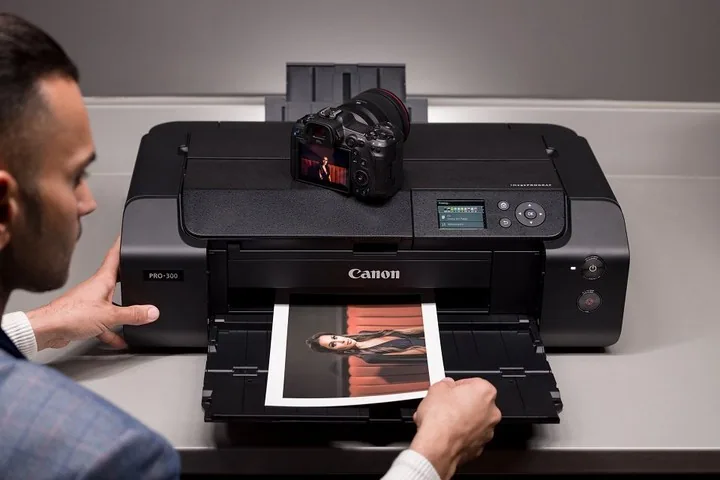
 Canon imagePROGRAF PRO-300 A3+ photo printer
Item code: 4278C009AB
- Professional photo printing
- 10 LUCIA PRO inks
- A3+ size
- Borderless printing
Engineering, design & professional print
Full specifications
| Device type | A3+ professional photo printer |
|---|---|
| Functions | |
| Number of inks | 10 LUCIA PRO pigment inks |
| Ink type | 9 colours + Chroma Optimiser (CO) — including Matte Black, Photo Black and Grey |
| Print resolution | 4,800 × 2,400 dpi |
| Paper size | A3+ · panoramic printing up to 99 cm |
| Borderless printing | Yes — on every size up to A3+ |
| Duplex printing | Manual |
| Connectivity | Ethernet · Wi-Fi · USB |
| Item code | 4278C009AB |
| Recommended use | Photography, fine art, studios and galleries |
Compatible supplies
The genuine ink and toner that fit this device. The wrong part number simply will not seat — go by the number, not the shape.
How to choose a professional photo printer
This category is not judged on speed or cost per page. Only one thing counts: does the print match what you see on screen, and how long will it stay that way.
Ink count — why ten and not four
An ordinary four-ink printer mixes colours to reach midtones, and the result is broken gradation in skin, sky and shadow. A professional printer has dedicated inks for those tones — light cyan and magenta, a grey, and two blacks (one for glossy, one for matte). That is what produces smooth gradation and neutral black-and-white without a green or magenta cast.
Pigment versus dye
Pigment ink sits on the paper as solid particles; dye soaks into it. Pigment lasts far longer and resists light and gases — which is why it is the standard for prints that will be sold or hung. Dye gives slightly more punch on glossy paper but fades sooner.
The paper matters as much as the printer
The same file on glossy and on cotton fine-art paper produces two completely different pictures. If you print for exhibition or for sale, fine-art stock needs a straight paper path so it does not bend — which this category provides and office printers do not.
What the Chroma Optimiser actually does
A clear ink laid over the image to even out the surface of glossy paper. Without it, dark areas reflect differently from light ones and take on a bronze cast when viewed at an angle. Not a luxury if you sell prints — that flaw shows in the hand far more than on screen.
The most common mistake: judging a print under room light
The same photograph changes completely under fluorescent light and under daylight. Many people re-edit the file and reprint again and again when the problem was the lighting, not the printer. Judge a print under the light it will actually be displayed in.
What determines your cost
The cost here is neither the device nor the ink alone — it is the proportion of prints you throw away. Professional printing is learned by trial, and fine-art paper costs more than the ink. What reduces waste:
- A calibrated monitor — without one you are correcting against the wrong reference
- Genuine paper with a ready ICC colour profile for the device
- A small test print before committing to the final copy
- Larger ink tanks cost less per ml — but suffer in long storage
- Printing regularly prevents the head from drying
Send us these five and we will come back with a quote
- What you print — photographs, artwork or both
- The largest size you need
- Roughly how many prints a month
- Whether you use glossy or matte fine-art paper
- Whether the prints will be sold or exhibited, or are for personal use